Rig and Performance Modes
See your regular rig at a glance, or enable Performance Mode with five-scene song layouts built for worship sets, cover gigs, and live performance.
Built for a simple, gig-ready setup: one USB-B connection, a clean touchscreen interface, and reliable offline use after setup.
Available Now: Limited Founders Launch access is open. Purchases include a 14-day refund window.
Already joined the waitlist? Check your spam or promotions folder if you don’t see the Founders Launch email.
A 48-second walkthrough of Performance Mode, live controls and the Kemper Player connection.
Explore the custom StageHUD bracket, recommended tablet mounts, right-angle USB-B cables, and accessories.
Go large with a mounted tablet or keep it compact with a phone.
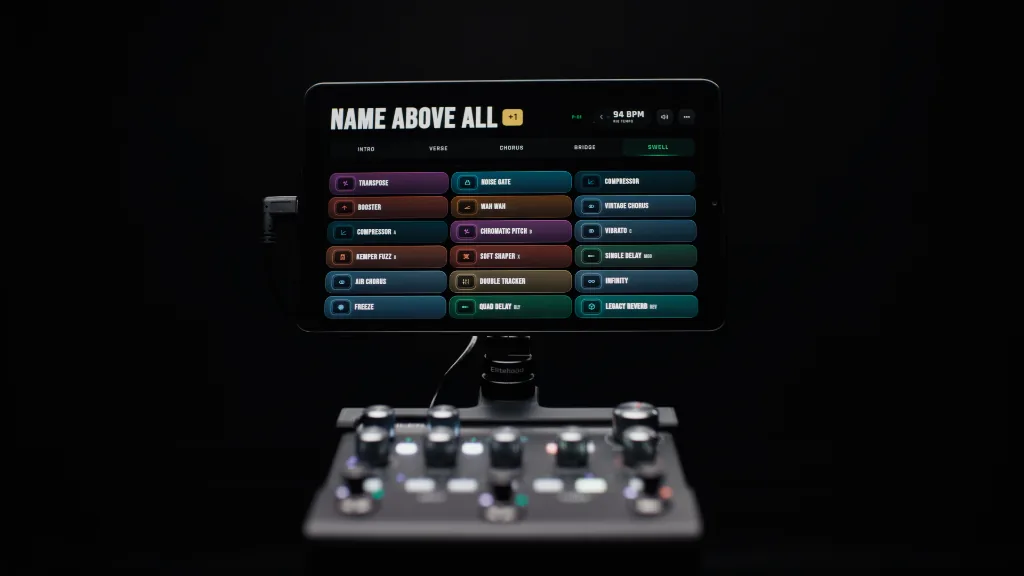
Full performance view with song scenes, titles, and rig tempo.
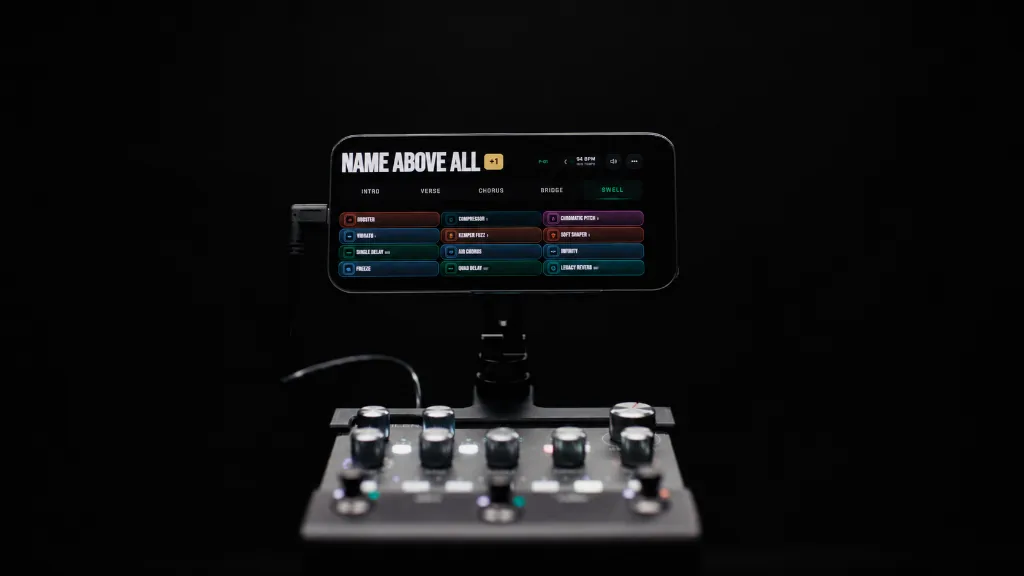
Streamlined layout built specifically for smaller mounted screens.
See every effect slot, customize effect names, and keep your rig name, volume levels, and precise tempo controls in view.
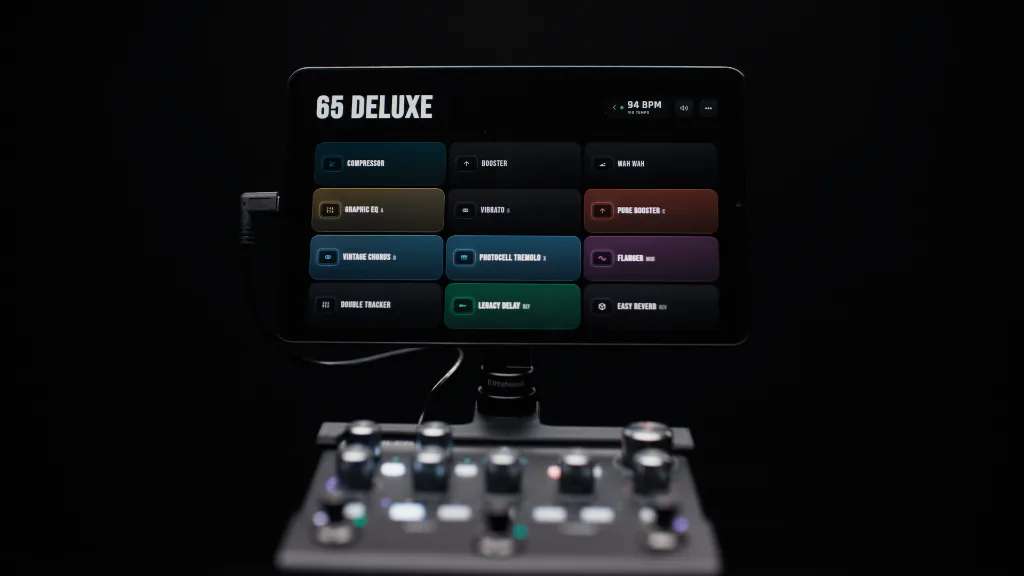
See what your Kemper is doing. Control what matters without breaking your flow.
See your regular rig at a glance, or enable Performance Mode with five-scene song layouts built for worship sets, cover gigs, and live performance.
Master and rig volume, live tuner, transpose, tap tempo, and morph status — all visible while you play.
Tap the screen to control your Kemper effects directly, even when your hardware switches are already assigned to other jobs.
Shape the display, performance layout, tempo behavior, morph response, and effect labels so StageHUD matches the way you actually play.
Name your performance, label each of slots 1-5 with your own names, set an exact BPM, and choose whether tempo stays locked across the song or changes per slot.
View your effects in flexible 3-column grids from 3x1 up to 3x6, limit which grid sizes appear on the main screen, hide BPM or volume modules, and keep tuner access tucked away until you need it.
Match your Kemper morph rise and fall timing with exact seconds or tempo-synced note values, adjust the morph fill feel, and choose between a full Morph Bar or subtle Morph Glow.
Add fixed effects for supported MK2 Kempers, use transpose, Freeze, and Infinity tools, and rename modular effect slots so duplicate drives, delays, or verbs make sense on stage.
StageHUD Founders Launch is live. Get StageHUD for two devices with one simple purchase.
Purchase StageHUD for your Kemper Player and activate it on two supported devices. One payment, no subscription.
$49 for two devices. No subscription. 14-day refund window.
No. After activation and check-in, StageHUD can reopen offline for up to 90 days before another online validation is needed. For the best experience, we strongly recommend installing StageHUD as a PWA from Chrome so the app is cached on your tablet or device. StageHUD will prompt you to install the app; when it does, select yes and launch StageHUD from that installed icon going forward. If you only open StageHUD as a regular website and do not cache/install it first, you should plan to have an internet connection available.
No. StageHUD is a display and control companion; your Kemper remains responsible for the audio path.
No. Apple does not currently expose the Web MIDI browser support StageHUD requires on iPhone or iPad. Mac is supported through Google Chrome.
StageHUD for Kemper Player $49 for two devices No subscription. Available now.
Device compatibility: Designed for Google Chrome on Android devices and Mac. iPhone and iPad are not supported at launch.
Get occasional emails about new StageHUD features, product updates, and important announcements.